Background
In December 2024, I was working at The Studio at Anythink Libraries and found myself in an odd lull. It wasn’t quite time for the massive holiday rush, but it was also cold enough that kids from the surrounding schools weren’t walking over in droves. In other words: slow days, lots of shop access, and just enough boredom to be dangerous.
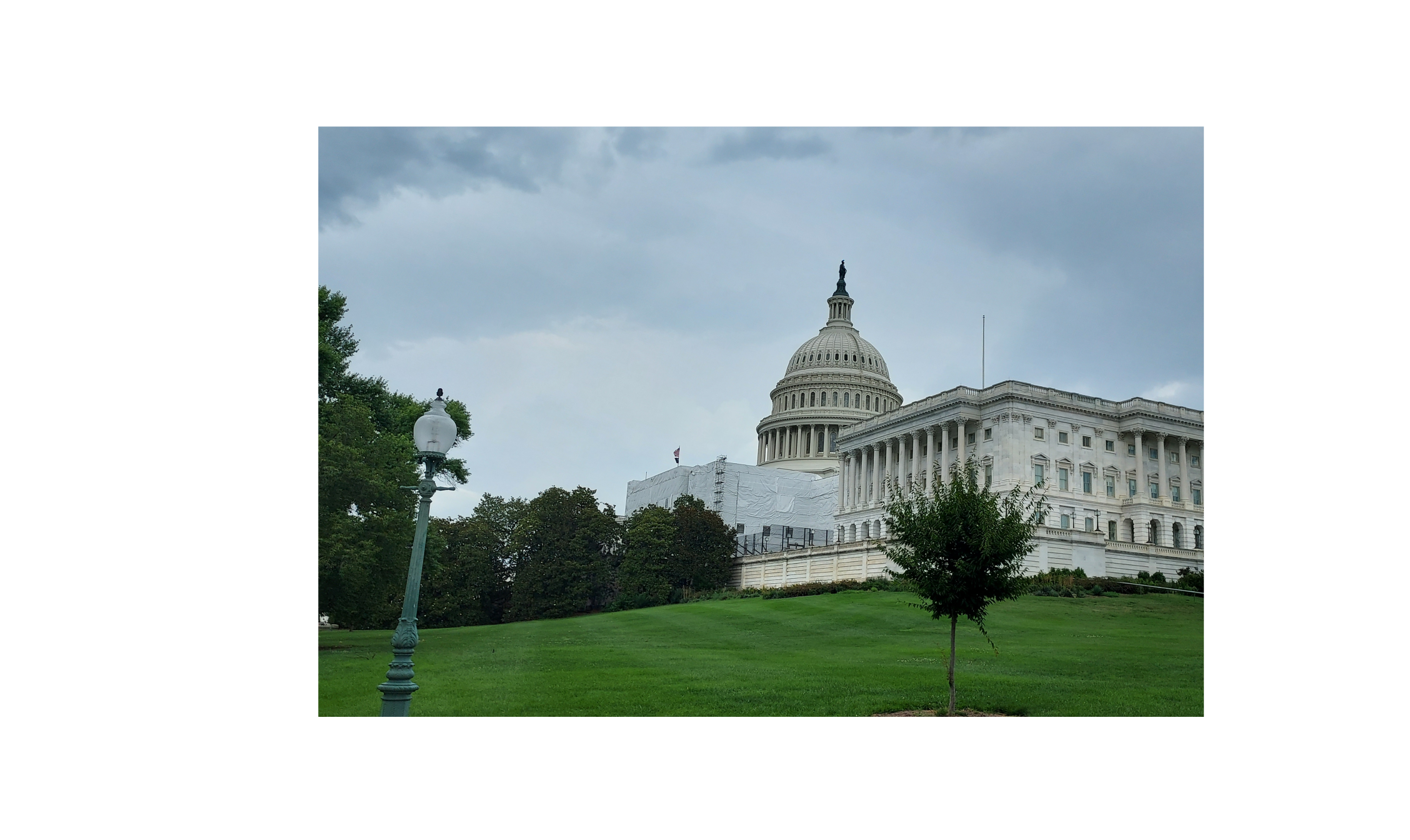
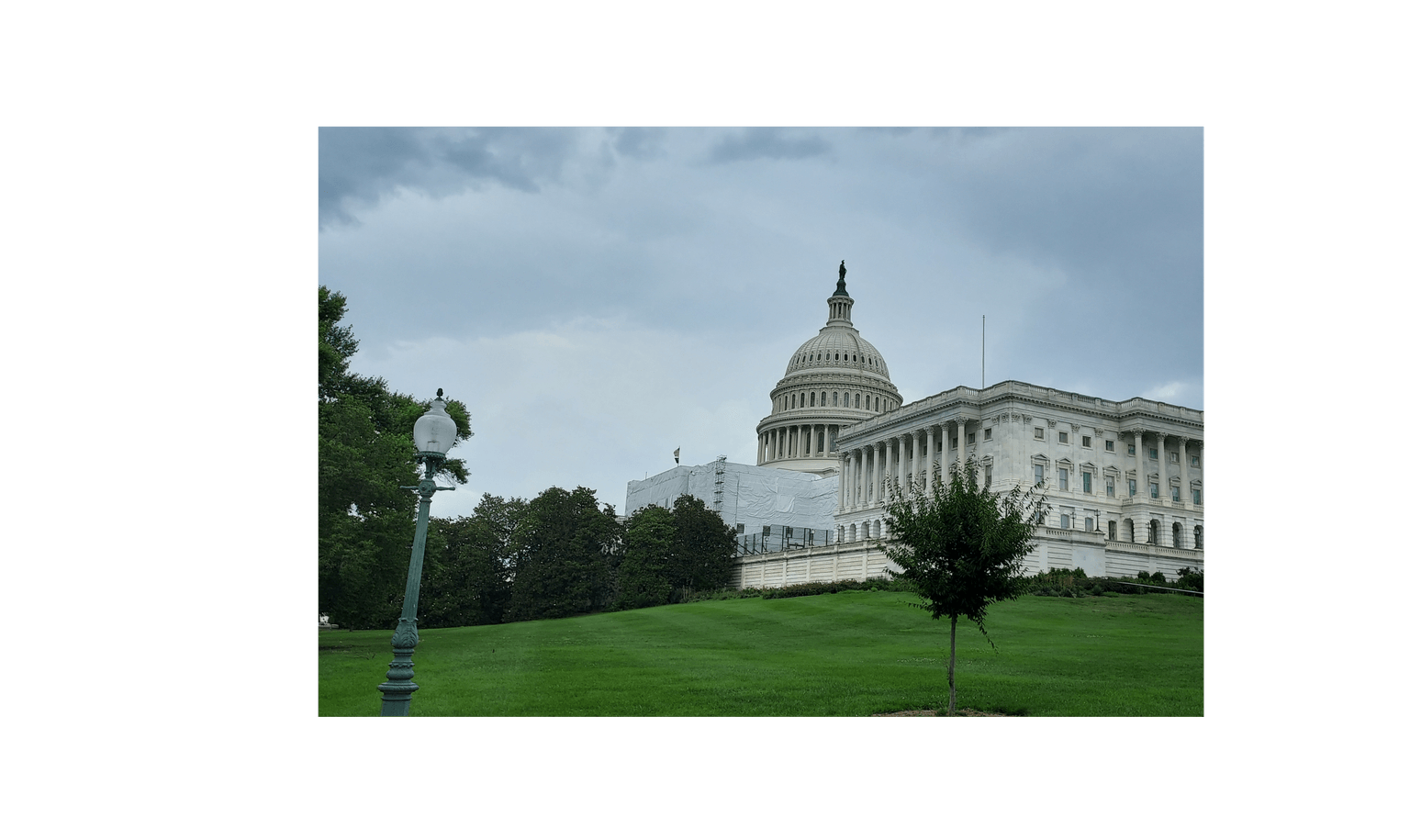
I decided to use the downtime to make some gifts for people close to me. After kicking around a few ideas, I landed on printing an image onto canvas and then embroidering over it. The image I chose was a photo of the U.S. Capitol Building in Washington, DC.
Inkscape & Ink/Stitch
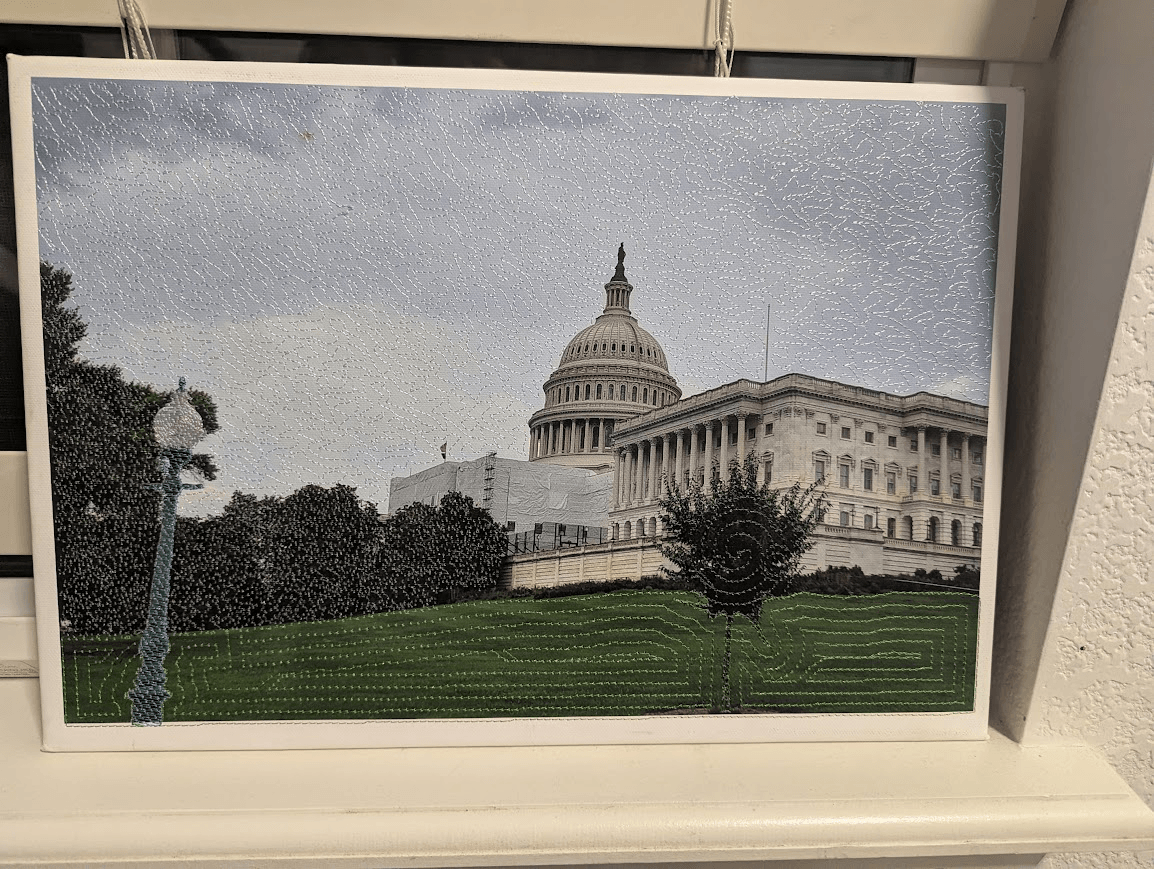
I started by manually tracing the image in Inkscape using the pen tool. Once I had the major architectural elements blocked out, I converted those paths into filled objects and tweaked the Ink/Stitch parameters for each one. Ink/Stitch has a plethora of fill patterns, ranging from basic to insane and leaving me wondering what the use case is. I was treating this project as an experiment of sorts at this point, so I aimed to use every available fill pattern in the final product. Some areas use the same thread color but different fill patterns to give a bit of visual texture without going full chaos mode. After a decent amount of fiddling, the embroidery file was ready.
Printing & Alignment
Next up was printing. I used the HP large-format printer in the makerspace and printed the image onto canvas at roughly 14" x 10", which is not the image’s native resolution, but was the size of the largest hoop i had access to. It's kinda nuts how expensive fancy professional embroidery machines are. With the print done, I moved on to setup for embroidery. The machine I was using had an image projection feature, which I used to align the stitched design over the printed image. It wasn’t perfect (alignment was probably off by 10–15 thou towards the top right of the image) but it’s barely noticeable unless you’re actively hunting for it (which, unfortunately, I now always do).
Embroidery
The embroidery itself took about an hour and involved something like six thread changes. Once it finished, I had a canvas print with embroidery on top, which looked great but was still only as rigid as canvas. I didn’t want this to be a floppy wall hanging, so I decided to give it a proper wooden frame.
Frame
I designed a simple frame SVG in Inkscape, matched it to the print dimensions, and cut it on an xTool P2 laser out of quarter inch plywood. Thankfully, the makerspace had some spare actual plywood on hand and not the crappy particle board garbage that is so common. After stapling the frame together and stretching the canvas over it, the piece was finally ready to be gifted. I’m genuinely really happy with how it turned out, and I think this print-plus-embroidery approach has a lot of potential as a style.
Final thoughts
There’s no way I’m the first person to have this idea. I’m sure plenty of people have done similar things. I mostly wanted to put this out into the world as another example and perhaps as an encouragement for someone else to try it.
If you’re interested, you can download the Ink/Stitch file here. It is my intellectual property and is protected by copyright. Please don’t redistribute or sell it without my permission.